Questions, answered.
Is it really free?
Yes, and with no ads, ever. Every feature is included free for your first 4 assets: reminders, the encrypted vault, backups, all of it. When your household outgrows four, Premium unlocks unlimited assets for a small monthly price or a one-off lifetime purchase.
Where does my data live?
On your phone. There's no account and no sync, so we never receive a copy of your records. Your phone's own Google or iCloud backup may include the app's data, like your other apps (that's your cloud, not ours, and you can turn it off). You can also export a backup file anytime that only you hold.
Is my data encrypted?
Yes. Everything is stored in an encrypted vault on your device, and the app opens behind Face ID, your fingerprint or your device passcode. With no account and no sync, your records never leave your phone in a form anyone else could read.
What can I track?
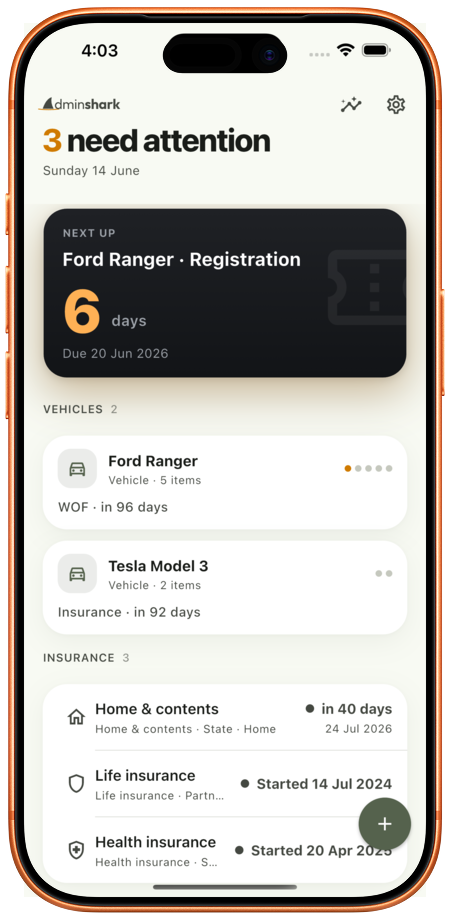
Two kinds of thing. Renewals: vehicle registration and inspections; vehicle, health, life, home & contents insurance; warranties; subscriptions, each with its provider, cost, dates and a photo of the paperwork. And records for the vault: passports and IDs, bank and investment details, wills and property papers, digital accounts, and a private diary.
What is the Contact tag?
An optional Premium sticker for your car. Someone who needs to reach you scans the QR code and writes to you, and you get a notification, without ever seeing your phone number. Their message is encrypted for your phone before it leaves their browser, so nobody in between can read it, and it is deleted within a day. You can pause or delete the tag any time. How it handles data.
How do reminders work?
A notification on your phone at 9am, a configurable number of days before each thing is due (30 by default). No emails, no texts, nothing that needs an account.
What if I change or lose my phone?
Export a backup from Settings (a single encrypted file you keep in your own cloud drive or send to yourself), then import it on the new phone and unlock it with your recovery phrase. Because everything is on-device, that backup is your safety net, so take one now and then, and keep your recovery phrase somewhere safe.
What's the recovery phrase?
A short set of words you set up once. It's the key to your backups: if you share a backup or move to a new phone, the file can only be opened with your recovery phrase. Keep it somewhere safe, because it's the one thing we can't reset for you, and without it a backup can't be opened, not even by us.
Does it work in my country?
Yes. AdminShark adapts to where you are, using your country's own terms for vehicle admin and showing costs in your local currency. Insurance, warranties and subscriptions are universal, so it works anywhere.
How do I get in touch?
Anything at all (a bug, a feature idea, a question): email [email protected] and a real person will read it.